Outline
Add an outline on all objects of the layer having the effect. This won't work well if shown on top of the background color of the scene. Be sure to use an object acting as a background or a floor.
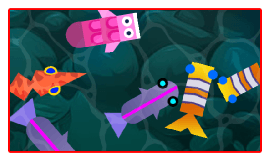
Use the Thickness setting to make the outline thinner or thicker, and Color of the outline to choose its color. This is useful to highlight a selected or hovered object.
Note
Because the outline is drawn just outside the object's image, add some transparent space around your object's image (or increase the effect's Padding) if the outline looks clipped.
Reference
All effects are listed in the effects reference page.